






Sessions
Every hour in the studio. Counted on its own.
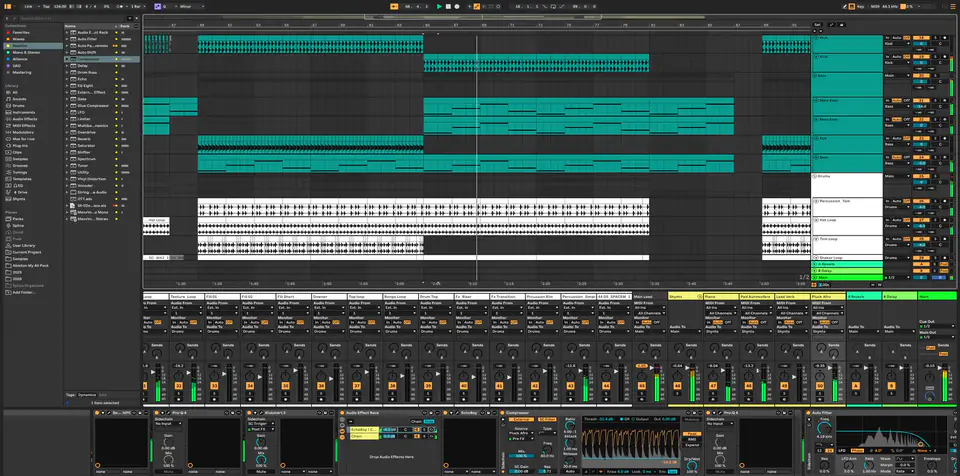
The timer starts when your DAW opens and pauses when you go idle.
Project management for music producers
Prodboard keeps every version of your projects and organizes all your work: what you're working on today, what went to the client and what they said, the hours you worked and what you earned.
14-day trial · no payment details · Windows & macOS
The window shows the Prodboard app with a demo studio's projects. Use the arrow keys to pick one of its screens, one of the project's tabs or a version of the project. Each choice comes with a description of what the window shows.
Every project, every DAW, in one place.
Your whole catalogue: filter by stage or DAW, sort by BPM.
Every hour at the desk, timed automatically. No stopwatch.
What each track earned, what it cost, and what you are still owed.
Artists, clients and labels, with the work and the money attached.
Where the hours actually went, and which track has been stuck longest.
Every save becomes a version you can go back to: 4 GB of history, 236 MB actually stored.
Active shares: 2. Open tasks: 3. This week: 9h 35m, 5 sessions. Net: +$6,200.00. Needs you: Comment from Marcus at 1:12, Low end is fighting the kick. Pull 2 dB?.
Version history: 24 versions, 236 MB. Plugins this project needs: 9 plugins, 1 missing on MacBook Pro.
To do: Book the mastering slot. In progress: Re-record the second verse, Swap the snare on the drop. Done: Send rough to Low Tide.
This week: 9h 35m, 5 sessions. Last week: 3h 30m, 2 sessions. Average session: 1h 55m. Total time: 23h 40m, 14 sessions since Mon, Sep 21.
Income: $6,500.00. Expenses: $300.00. Net: +$6,200.00. Per studio hour: $274.65.
Backed up as v24 on Studio PC. Backed up as v23 on Studio PC. You pinned v22. Backed up as v22 on Studio PC.
Manual, 1 mixer change. Studio PC, Wed, Oct 14, 12:34 PM. Files in v24: 23 files, 207 MB. Neon Skyline.als, Neon Skyline ref car.mp3, Samples, Ableton Project Info, Backup.
6 notes edited, 1 mixer change. Studio PC, Tue, Oct 13, 11:10 PM. Files in v23: 22 files, 197 MB. Neon Skyline.als, Samples, Ableton Project Info, Backup.
Pinned, 1 track added, 4 clips moved. Studio PC, Tue, Oct 13, 6:31 PM. Files in v22: 22 files, 197 MB. Neon Skyline.als, Samples, Ableton Project Info, Backup.
1 clip added, automation. MacBook Pro, Mon, Oct 12, 9:29 PM. Files in v21: 21 files, 176 MB. Neon Skyline.als, Samples, Ableton Project Info, Backup.
2 tracks added, 1 plugin added. Studio PC, Mon, Oct 12, 3:48 PM. Files in v20: 21 files, 175 MB. Neon Skyline.als, Samples, Ableton Project Info, Backup.
Sessions
The timer starts when your DAW opens and pauses when you go idle.
Versions
Roll back to any version, see what changed in it, and restore it in one click.
Sharing
A waveform player in the browser, with comments pinned to the timeline.
Sync
Back up on one computer and the new version is one click away on the other. Open the project on both and you're warned, and both saves are kept.
Financial
See which work actually pays, and who still owes you.
Desktop app
Back up a project once (new ones start on their own) and every save after that is a version. It spots your DAW and updates itself on Windows and macOS.
Each project lists its plugins and flags the ones missing on another of your computers, for Ableton Live, Cubase and FL Studio.
In an Ableton Live set, Prodboard spots samples played from outside the project folder, which a backup would miss, and can back them up with the project.
When Ableton Live, Cubase or FL Studio crashes, Prodboard keeps a copy of the DAW's own recovery files, so declining its recovery prompt is not the end.
Clients approve a mix or ask for changes, and can leave a voice note at a moment in the track. A finished mix or master sent back lands in the project as a new version once you accept it.
Record an idea on your phone, in the browser. File it into a project and it is waiting in that project's folder on your computer, ready to drag into your DAW.
One minute, on Windows or macOS.
Prodboard times your sessions. Back up a project once and every save after that is a version.
Versions, shares and budgets in one place.
The desktop app does the heavy lifting: it spots your DAW, times your sessions and keeps a version of every save once a project is backed up. And it updates itself.
For solo producers.
$24 $20 /month
billed monthly at $24 billed annually at $240
For producers with client work.
$49 $41 /month
billed monthly at $49 billed annually at $490
Everything in Producer, plus:
For studios and teams.
$99 $83 /month
billed monthly at $99 billed annually at $990
Everything in Professional, plus:
For labels and commercial studios.
$149 $124 /month
billed monthly at $149 billed annually at $1490
Everything in Studio, plus:
Every plan starts with a 14-day free trial. No payment details needed.
Ableton Live, FL Studio, Cubase and more, with deeper Ableton integration.
Not unless you ask. Backing up only reads and copies; the one thing it adds is a tiny .prodboard ID file, so your other computers recognize the project. Prodboard writes into a project only when you ask it to, for example when you restore a version or accept files sent back to you. A restore first saves the current state as a version and moves what it replaces into a _prodboard_trash folder rather than deleting it.
14 days with 100 GB and 2 computers, and no payment details. Sync between the studio and the laptop and share analytics are included. The AI summaries and covers come with a paid plan; the trial gets a one-time preview of the AI-written Today's plan on its third day. Pick a plan when you're ready and it all carries over.
No. Identical files are stored once, Git-style, and only changed files upload. A new version usually adds megabytes.
Low end is fighting the kick. Pull 2 dB?
This drop is perfect. Don’t touch it.